Show Black Screen on Your Monitor(s) with Black Screen Software
Now you can display a black screen on your display monitor(s) easily and quickly with Black Screen Software on your Windows 11 and Windows 10 computers. This free-to-download and try software application presents an easy-to-use Black Screen Software utility to display a black or other colored window on selected display monitor(s). This overlay software application allows you to reduce glare coming from the screen while still controlling applications with mouse/keyboard input.
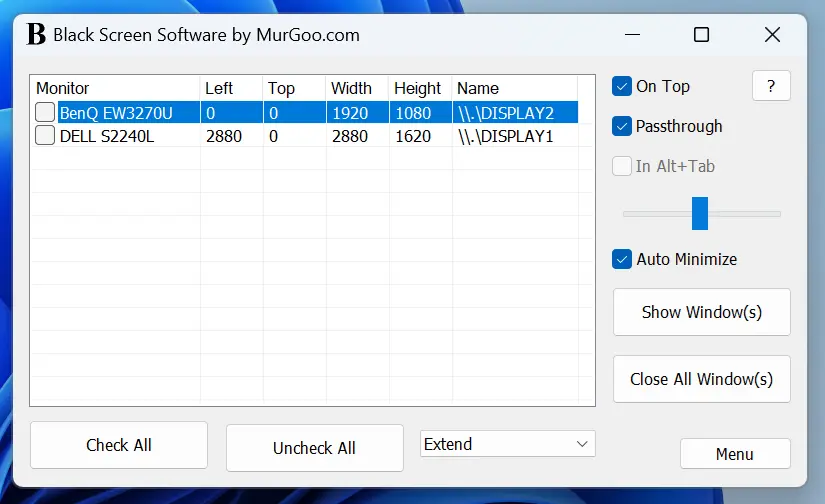
This can be really handy when you wish to avoid bright light coming from display devices. This multiple-monitor compatible software application allows you to select display devices on which the black screen is to be displayed. You can even modify the color of the screen overlay to any custom color and configure other parameters.
Download Black Screen Software for Windows
You can download and evaluate this digitally signed Black Screen Software utility by Daanav Softwares on your Windows 11 or Windows 10 computer. Once the free trial expires, you can pay $7.89 USD to use it on one computer for up to 6 months from the date of payment. The free trial of Black Screen Software is fully functional without any feature limitations so that you can explore all capabilities of this software utility.
Features of Black Screen Software for Windows
Here you can read all about the features provided by this desktop masking software utility for Windows. This application utility is handy for reducing screen glare and for other related purposes. Passthrough mode allows you to provide mouse and keyboard input to applications displayed on your monitor. In opaque mode, user input is not passed through to underlying applications, allowing for full color and transparency control.
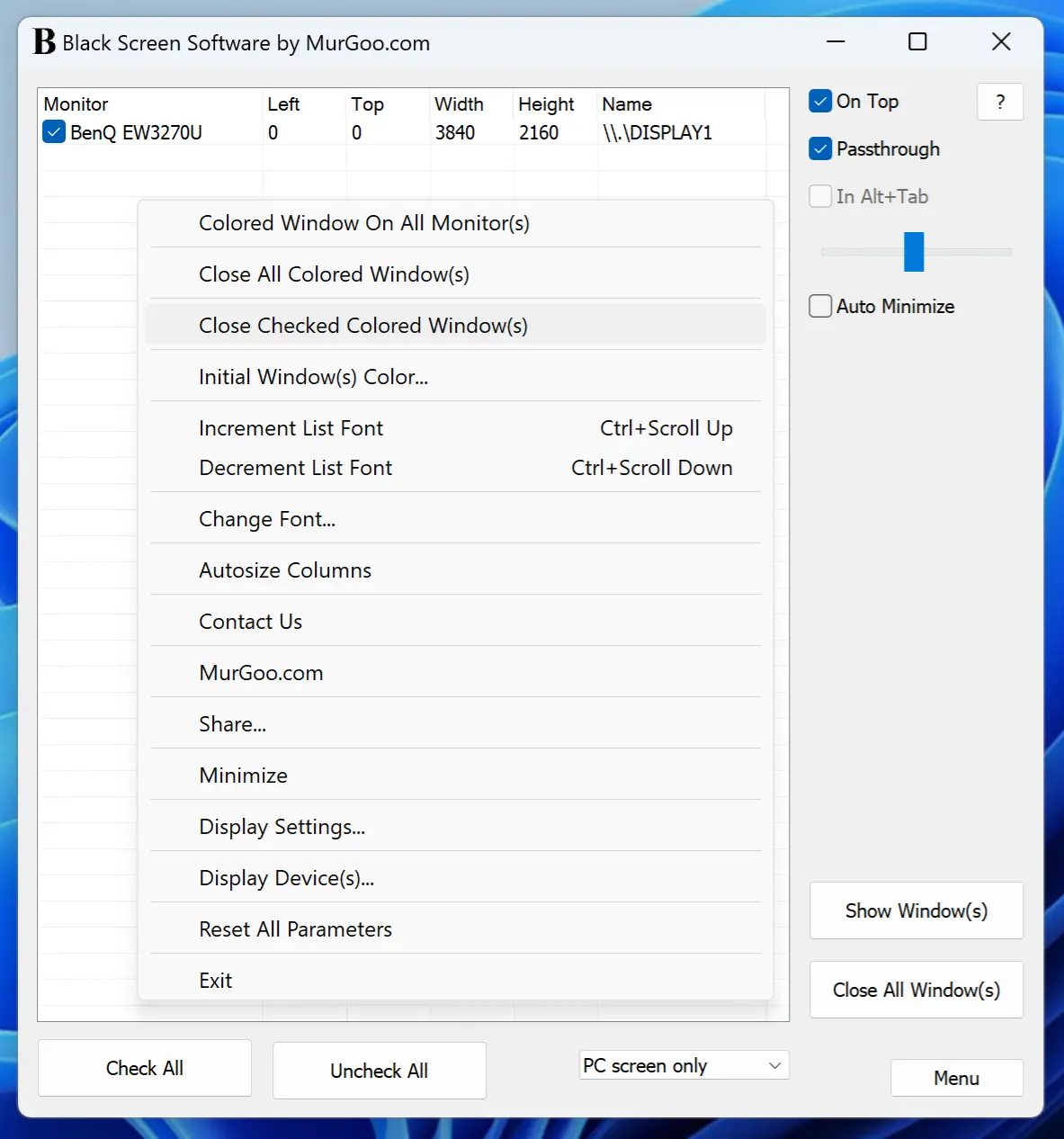
- The colored windows/screen overlays displayed are black by default, but can be changed easily from the right-click menu provided.
- In opaque mode, any individual colored window can be closed using the right-click menu. You can also change the color of the window using the standard color selection screen.
- When colored windows/screen overlays covering your display device are displayed in Passthrough mode, mouse clicks and user input are passed to the underlying window automatically, and you can close the overlay windows by closing the application or using the right-click menu.
- When using this software on a Windows computer with multiple monitors connected, you can select the monitor(s) on which colored windows should be displayed.
- You can easily select whether the desktop area is displayed on a primary or secondary monitor, or if all monitors are used in Extended Mode without going to Display Settings. You can even launch Display Settings by right-clicking on the main screen of this Black Screen Software utility for Windows.
- The free trial of this software utility allows you to evaluate all features offered by this desktop masking utility. Whether you wish to add a tint screen color or simply avoid glare coming from your display device/monitor, this Black Screen Software utility is convenient and easy to use.